YouTube embed generator
Responsive, privacy-enhanced embeds with start time and options.
FreeRuns in your browserNo signupUpdated 2026-10-29
Browsers block autoplay with sound, so autoplay always mutes.
Video ID
dQw4w9WgXcQ
11 characters
Starts at
0:00
0 seconds
Thumbnail
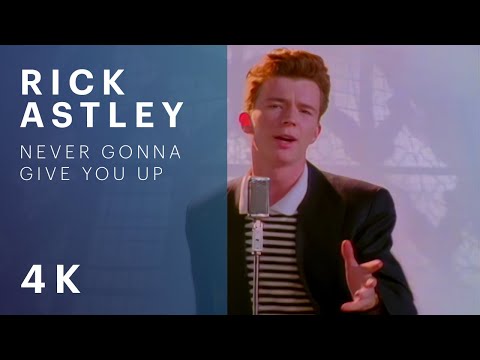
<div style="position:relative;aspect-ratio:16/9;width:100%;overflow:hidden;border-radius:12px">
  <iframe src="https://www.youtube-nocookie.com/embed/dQw4w9WgXcQ?rel=0" title="Product walkthrough" loading="lazy" allow="accelerometer; autoplay; clipboard-write; encrypted-media; gyroscope; picture-in-picture; web-share" referrerpolicy="strict-origin-when-cross-origin" allowfullscreen style="position:absolute;inset:0;width:100%;height:100%;border:0"></iframe>
</div>
https://www.youtube-nocookie.com/embed/dQw4w9WgXcQ?rel=0
About this tool
How it works and how to read the result.
Need this done for you?
Website design & development
Company websites designed and built to win trust and enquiries.
See the serviceWhat it does
A YouTube embed code generator takes any YouTube link and produces an iframe that fits its container, keeps the 16:9 shape on every screen and loads lazily. The generator reads the video ID from watch, share, Shorts and live URLs, converts a start time such as 1:30 into seconds, and switches on the options YouTube supports: privacy-enhanced domain, autoplay, mute, hidden controls, loop and related videos. The thumbnail preview confirms you have the right video before you copy the code.
How to use it
- Paste the video link or the bare 11-character ID.
- Set a start time if the useful part begins later. Use mm:ss or plain seconds.
- Give the embed a short title. Screen readers announce it.
- Tick the options you need. Privacy-enhanced and lazy load are on by default.
- Copy the responsive embed, or just the embed URL if your CMS has its own video block.
How to read the result
The Video ID stat shows what was extracted from the link. A red badge means no ID was found, usually because the link is a channel or playlist page rather than a video.
"Starts at" shows the parsed time. Entering 1:30 gives 90 seconds and the URL gains start=90. A plain 105 is read as 105 seconds, shown as 1:45.
The embed is a div with aspect-ratio 16/9 and an iframe pinned to fill it. In a 768px column the player is 432px tall; on a 360px phone it is 203px. No JavaScript is needed to keep the shape.
Loop adds both loop=1 and playlist=ID, because YouTube ignores loop on a single video without a playlist parameter. Unticking related videos adds rel=0, which limits end-screen suggestions to your own channel.
The YouTube player pulls in several hundred kilobytes of script once it loads, so count it in your page weight budget. Keeping marketing pages fast with embedded media is part of our website design and development work.
Questions
Frequently asked.
What does privacy-enhanced mode change?
It serves the player from youtube-nocookie.com, which does not set tracking cookies until the visitor presses play. For sites that must honour consent rules before loading trackers, it lets you show the player without a consent gate. Playback, quality and controls are otherwise identical.
Why does autoplay force mute?
Every major browser blocks video that starts playing with sound before the visitor interacts with the page. An autoplay embed without mute simply does not start. Muted autoplay works, which suits background loops and hero videos; for anything with speech, let the visitor press play.
Can I embed Shorts or a live stream?
Yes. Shorts and live links contain the same 11-character video ID, which the generator extracts and places into the standard embed URL. Shorts play in the normal 16:9 player, so a vertical video appears with black bars unless you change the wrapper's aspect-ratio to 9/16.
More in Links & embeds
Related tools.
Your next move
Like what you see? Tell us about it.
A process that takes too long, a website that undersells you, or an idea ready to take shape. Tell us where you are and we will suggest a useful next step.
India · Working with clients worldwide