UI UX design agency in the United States
You get screen designs that help customers complete tasks and give developers a clear direction for the build. For your business in the United States, we map user flows, work out the steps and labels for each task, and design desktop and mobile screens in your brand. We work with you on the decisions behind those screens, from how a task starts to how an error is handled.
- 250+ projects delivered
- Reviews on Google ↗
- Reply within 1 working day
Reply within 1 working day
What happens next
- 01Tell us what you need, in the form or on WhatsApp.
- 02Sohail replies within 1 working day (Mon–Sat, IST).
- 03We agree the scope together, then send your quote.
- Projects delivered
- 0+Projects delivered
- Years building for the web
- 0+Years building for the web
- Live and in use
- 0%Live and in use
What you get
What’s included in UI/UX design
Research & flows
User journeys and flows mapped from how your customers actually use the product.
Wireframes
Page and screen structure agreed before any visual design.
Visual design
Screens for desktop and mobile in your brand, ready for development.
Design system
Reusable components and styles so new screens stay consistent.
Prototype
A clickable prototype to test with users before you build.
Developer handover
Specs, assets and support while the design is built.
Tools we use: Figma, FigJam, Design tokens, Tailwind CSS.
Choosing
Should you hire for design only or design and build?
Design-only work suits you if you already have developers who will build the product. Your designers need to make decisions that those developers can use, while your team retains responsibility for the build. Design and build with one team suits you if you want a single party responsible for the finished product. That choice also means agreeing the design and development scope together.
The right research approach depends on what you already know. For a new product or a high-stakes flow such as checkout, interviews and usability tests with real users give you a way to examine their experience. For an existing product, analytics and support tickets offer another place to start, particularly when your schedule is tight.
For a live product, you also need to decide how much to change at once. An incremental redesign suits users who dislike sudden changes and lets you work through the product in stages. A full redesign suits a product whose structure no longer matches how people use it; it asks you to reconsider that structure across the experience.
Rules
What a United States UI UX design project needs to handle
Your priorities depend on the product. SaaS companies need clear onboarding, dashboards and settings. Online stores need phone-friendly product, cart and checkout screens with fewer steps and form fields. Internal tools need clear steps for staff, while health, finance and insurance forms need to collect sensitive details clearly.
For businesses open to the public, Department of Justice guidance says ADA Title III covers goods and services offered on the web and identifies WCAG as helpful guidance. We design readable text, colour contrast, visible focus states, clear labels and usable tap targets. For state and local government websites and apps, the Title II rule requires WCAG 2.1 Level AA; we use those criteria to guide the screen design.
How it runs
How a UI UX design project runs with us
We work remotely from India through video calls, WhatsApp and shared project boards. In winter, India is 10h30m ahead of Eastern time and 13h30m ahead of Pacific time. You can leave feedback on the shared board for us to pick up as work moves between time zones.
- 01
Discover
You share your business goals, user types, analytics, support complaints and competing products. We turn those inputs into problems for the design to address.
- 02
Map and wireframe
We sketch flows and screen structures step by step. You review them against how your customers and staff actually work before visual design begins.
- 03
Prototype and test
We build a clickable prototype and watch real users try it. You help invite customers or staff, and we use their hesitation and confusion to guide decisions.
- 04
Hand over
We provide specifications, exported assets, named components and interaction notes. Your developers have access to the designer for questions during the build.
- 05
Launch and care
Where we handle the build, we test on real devices and browsers, set up the domain, email, analytics and search, and provide ongoing support.
Checklist
What to have ready before we talk
Bring what you have so we can discuss the work in practical terms.
- User types and tasksNote who uses the product, what each person needs to do, and which tasks bring revenue or generate support calls.
- Familiar productsShare competitors or tools your users already know, with notes on what works and what annoys them.
- Brand and design filesGather your logo, fonts, colours, brand guidelines and any existing files in Figma or another design tool.
- Technical limitsAsk your developers about their front-end framework, existing component library and anything the back end cannot do yet.
- Test participantsIdentify customers or staff willing to try a prototype and talk through anything that confuses them.
Cost & time
What affects the cost and time for UI UX design
The amount of design and review work changes with the product and the choices you make.
Platforms and layouts
Separate web, iOS and Android designs, or desktop and mobile layouts, increase the number of screens and reviews.
Component library
A small library is enough for a marketing site or an early product; a full design system suits many screens or several teams.
Visual starting point
An established UI kit or open-source component library speeds up early work. A custom visual language suits a brand whose interface is part of what customers pay for.
Screen states
Empty, loading, error and no-results screens need decisions alongside the populated screen, as do long names and missing permissions.
Avoid
Mistakes to avoid with UI UX design
Polishing too early
Agree the flows before investing in finished visual screens, so an attractive layout does not need restructuring around a different task.
Designing only the ideal path
Include errors and empty states in the work, instead of leaving developers to improvise when those situations appear.
Settling debates by opinion
Put the prototype in front of real users and use what you observe to make the decision.
Ignoring the build
Check proposed components against your front-end framework and the library your developers already use, before committing to the design.
Our work
Projects we’ve built
- iWISERSBrand website for iWISERS, a social and data intelligence agency that tracks every conversation about a brand and turns it into action.iwisers.com

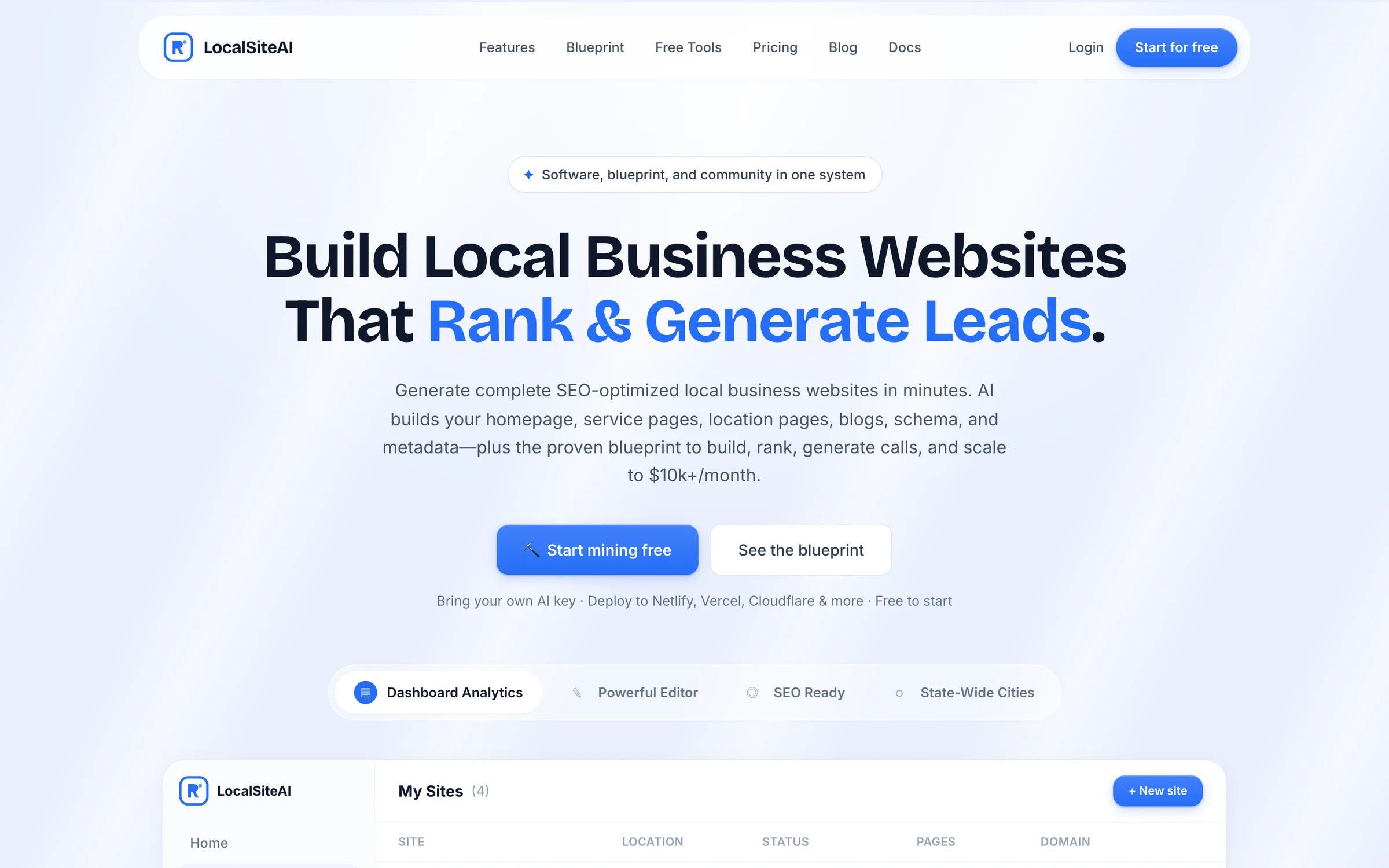
- LocalSiteAIAn AI website generator for local businesses. Users complete a short wizard, AI writes every page, and the site deploys in one click.localsiteai.com
Questions
Asked by businesses in United States
Page updated 5 November 2026
How much do agencies charge for UI UX design?
There is no fixed price. The main drivers include the number of distinct screens and user roles, the complexity of flows such as checkout, and whether a design system needs to be built from scratch. Complex flows need more iteration than content pages. We send a free quote once the scope is agreed.
What does a UI UX design agency do?
A UI UX design agency works out how people move through a product and prepares its screens for development. At MSH Technologies, we map customer journeys and agree page and screen structure in wireframes before visual design. The resulting work gives you a way to review the experience before developers build it.
How should I choose a UI UX design agency?
Choose a partner whose deliverables fit the people who will build your product. If you run an agency or development team without designers, ask how the design files, specifications and assets will be handed over and how questions will be answered during development. That gives your developers something concrete to assess.
What is included in a design system?
A design system collects reusable interface components and styles. It can include buttons, form fields, colours, type styles and spacing, giving your team a shared reference when it creates new screens. Reusing those components keeps screens consistent and helps developers build them faster, without deciding each element from scratch.
Who owns the work after the project?
You own your domain, content and code, with no lock-in. That gives you control of those assets after the project, including if your plans for the product change. Discuss the assets you expect to receive when agreeing the scope, so the handover is clear to the people responsible for them.
What should we do after the design launches?
Compare task completion, drop-off between steps, support tickets and conversion with the figures from before the change. Keep your design files and design system current as the product changes, and collect feedback from support and sales teams. Their user complaints can help you decide what to address in the next design round.
Tell us what you need
Sohail, Founder, replies within 1 working day (Mon–Sat, IST). Free and no obligation.